FinishTrax guide
Plan time, then learn from private completion patterns
FinishTrax has a day and week timeblock calendar, plus a private heatmap of completed work. The plan shows when you intend to work. The history shows when tasks were actually completed.
Short answer: Link a time block to an Outline task, then use the completion heatmap as a record—not a score. FinishTrax can name a repeated finishing window, but it always shows the real hours behind the label.
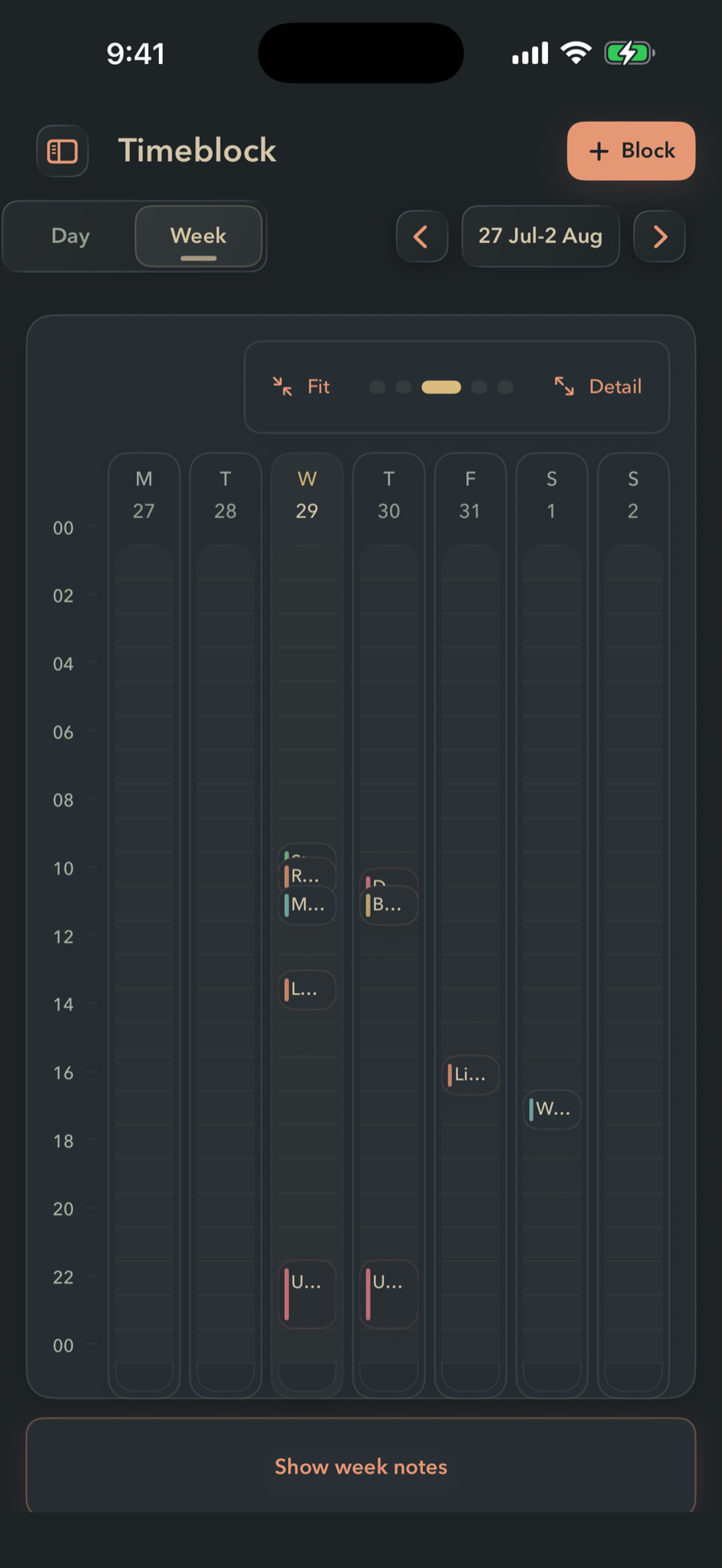
The plan and the history have different jobs
| Timeblock | Completion history |
|---|---|
| Shows intended time | Shows when tasks were completed |
| Can link to a task | Comes from finished tasks |
| Supports weekly recurrence | Builds a private day-and-hour pattern |
| Can be changed before work | Does not punish missed plans |
How to use the loop
- Choose one task that deserves protected time.
- Create a time block and link it to that task.
- Work from the Outline, Focus mode, or the task timer.
- Complete real tasks as they finish.
- After enough history exists, compare the plan with the hours when work was actually completed.
What a finishing pattern means
FinishTrax can describe repeated completion windows with labels such as Morning finisher, Night owl, Bookends, or Two-shift finisher. The label is calculated from observed completion times. It is not a personality test, diagnosis, or fixed identity.
The actual hours remain visible. If enough history is present, a repeated window can be turned into weekly time blocks in one tap.
Common questions
Can a FinishTrax time block link to a task?
Yes. A time block can link directly to a task in the Outline. Time blocks also support colors, weekly recurrence, per-day overrides, and week notes.
Is the completion heatmap a streak counter?
No. The heatmap shows completed-task history by day and hour. It does not create streaks, scores, or penalties.
Where is completion history stored?
Completion history is part of the local FinishTrax workspace and can optionally sync through the user's private iCloud database.