FinishTrax guide
A Pomodoro timer with your subtasks under the clock
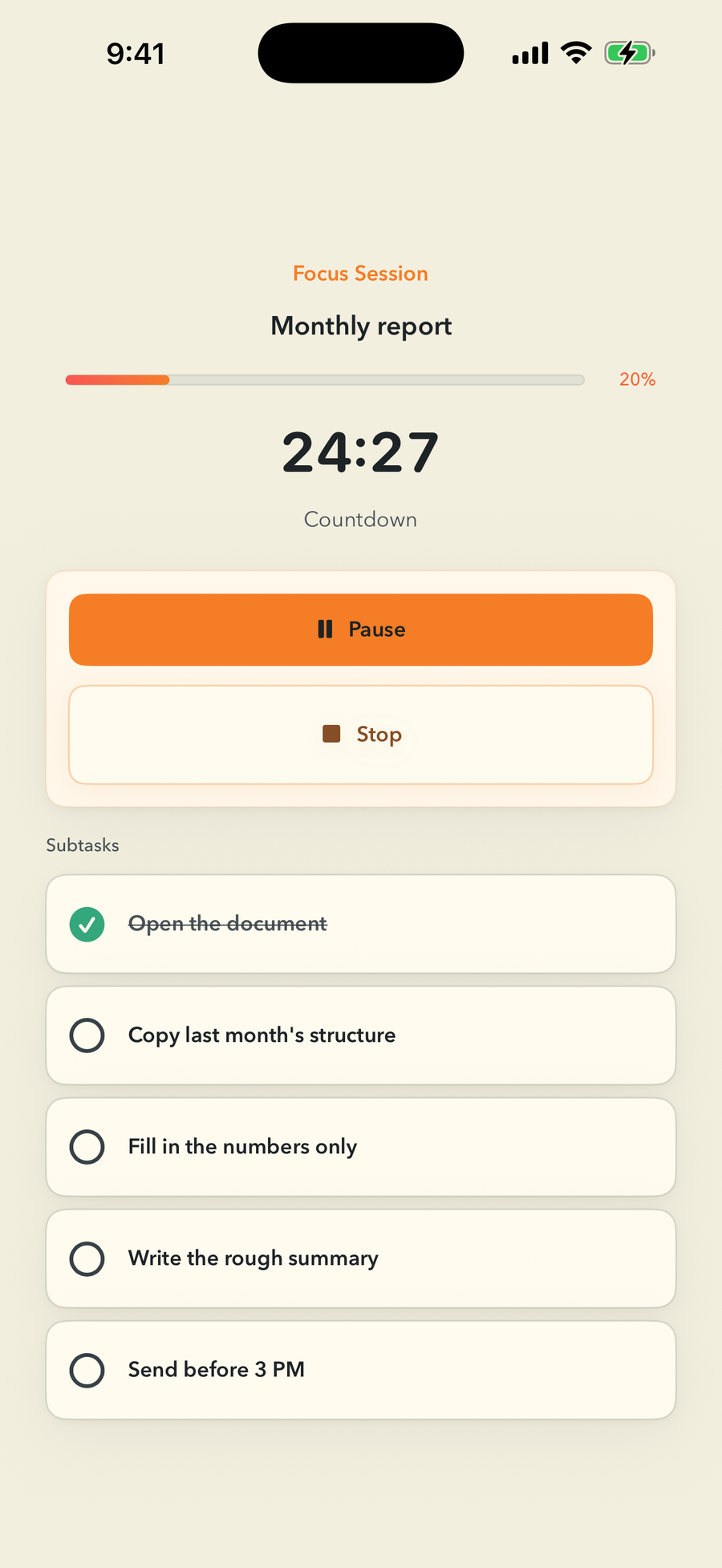
FinishTrax starts the timer from a real task branch. The clock, task progress, and subtasks stay together, so the session does not become a separate place that forgets what you planned to do.
Short answer: Start a FinishTrax timer on any task. Its subtasks appear below the clock and remain actionable. The app records the elapsed focus time even if you stop early.
How a session works
- Open the task you want to work on.
- Choose 20 minutes, 25 minutes, another countdown length, or the stopwatch.
- Start the session. The task's subtasks appear under the clock.
- Tick completed subtasks without leaving the timer.
- Pause, resume, finish, or stop early. Elapsed focus time is still saved.
What is different from a separate timer app?
| Separate timer | FinishTrax timer |
|---|---|
| Usually stores a session label | Starts from a task in your real outline |
| You switch back to the task list | Subtasks stay under the clock |
| Task progress is separate | Progress changes as subtasks are completed |
| May force automatic break cycles | You decide when every session starts |
The honest limits
FinishTrax does not run automatic Pomodoro work and break cycles. It does not decide the next task, block other apps, or judge whether a session was successful. A countdown can make one local notification when it reaches zero; the sound can be disabled.
Common questions
Does FinishTrax include a 25-minute Pomodoro timer?
Yes. It includes a 25-minute preset, a 20-minute preset, a count-up stopwatch, and custom countdowns from 1 to 999 minutes.
Can I complete subtasks while the timer runs?
Yes. The selected task and its subtasks stay below the running clock. Completed subtasks update the task progress during the session.
Does it start break timers automatically?
No. FinishTrax does not run automatic work and break cycles. The user starts every session. A timer-complete sound and local notification are optional.